 DūNow
How it works
-
1
Set your free time
Tell DuNow when you usually have time for things, like weekday evenings from 6 to 8. Add work hours or chore time too, if you like.
-
2
Add your tasks
One-off jobs, weekly chores, daily habits, appointments. Type or say each one in a line, or fill in how important it is, about how long it takes, and whether it happens at a set time or whenever you're free.
-
3
Follow your plan
DuNow gives everything a time that fits. Tick things off and the rest of your week adjusts.
Today
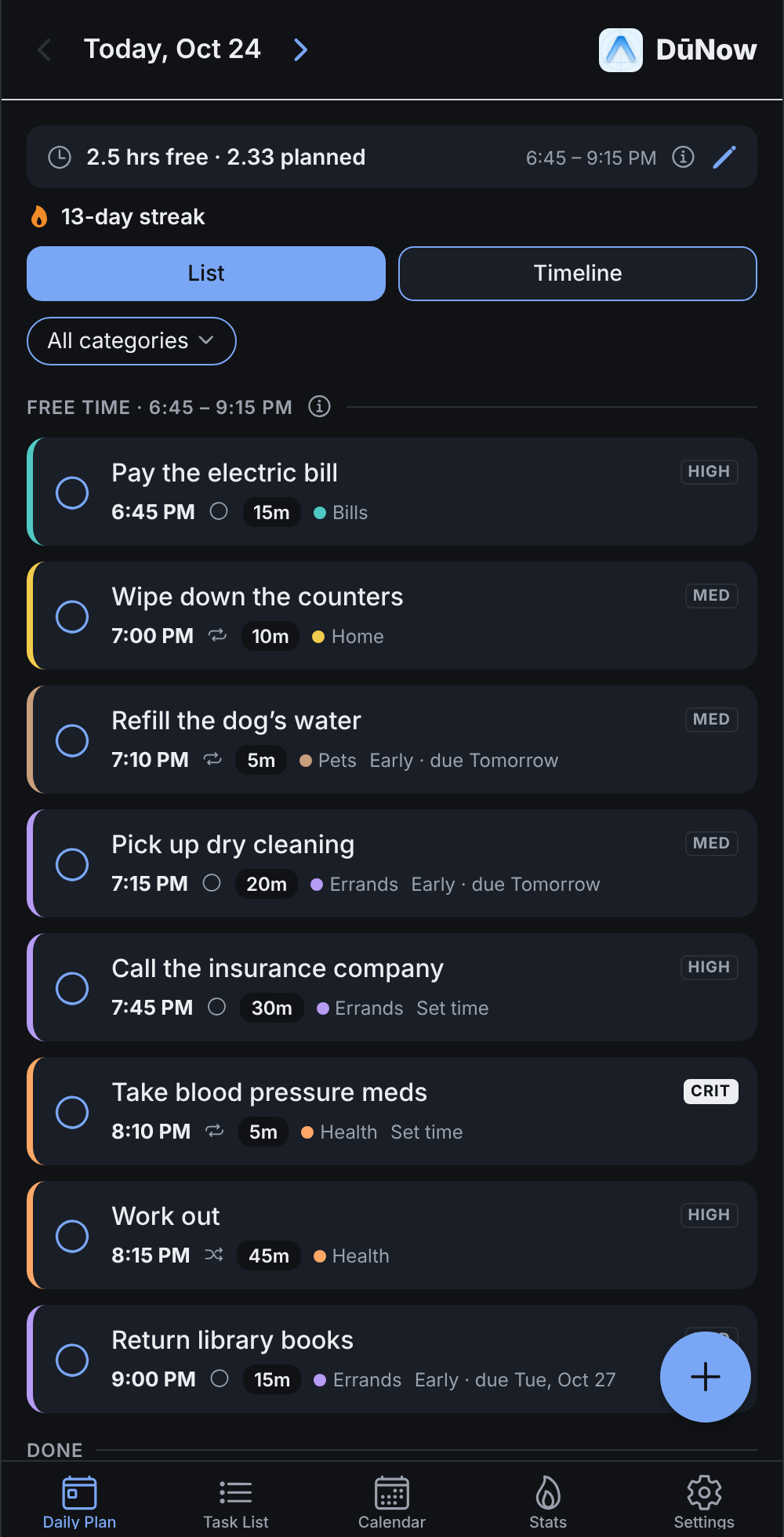
Know what to do next
Your day is laid out in order, with a start time for each task. Critical things come first. If there's more than you have time for, DuNow tells you up front instead of leaving you to find out at 10 PM. Tap Why? on anything that didn't fit to see the reason, then fix it or plan it for another day.
Quick add
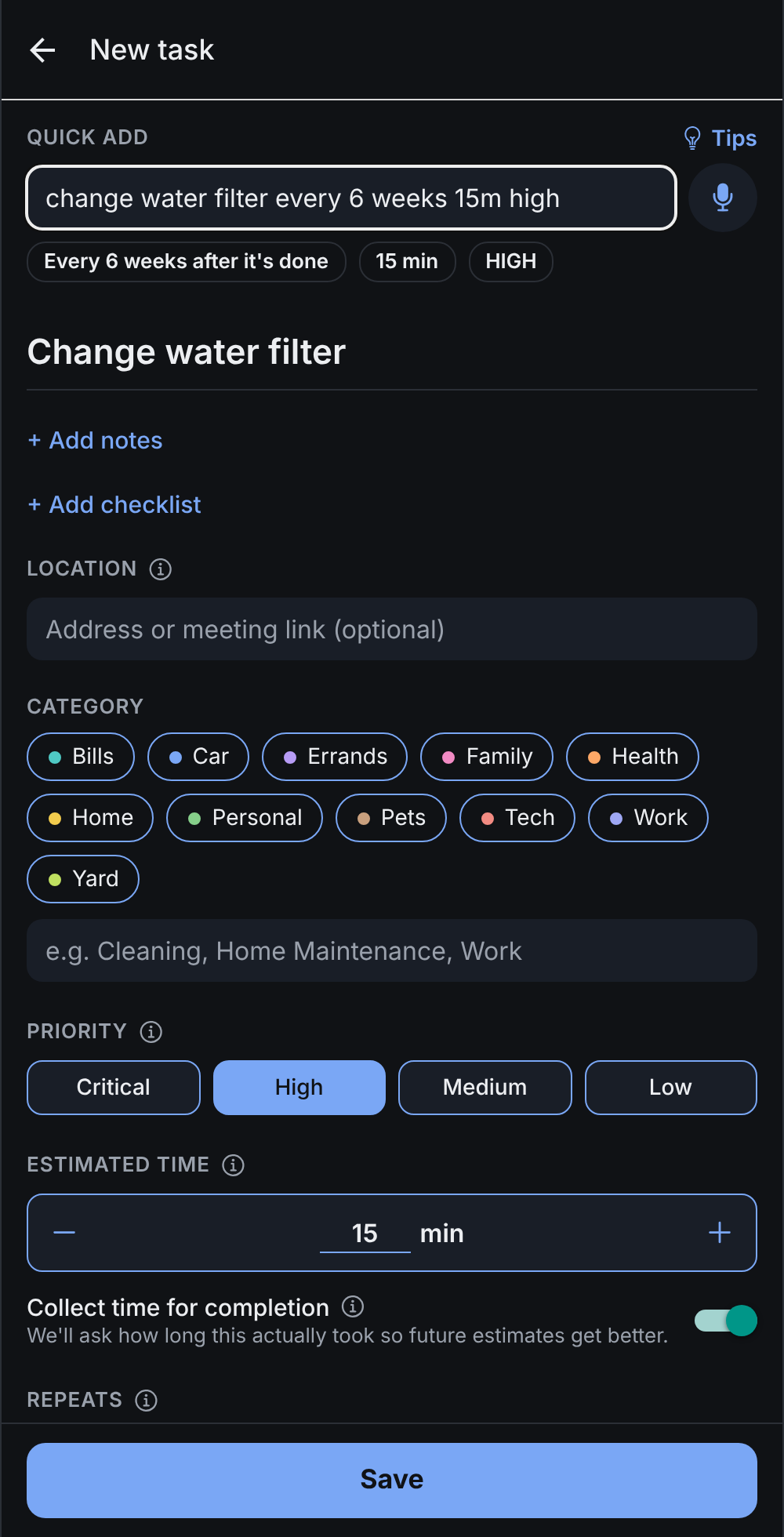
Type it or say it
Write "change water filter every 6 weeks 15m high", or tap the mic and say it. DuNow fills in the repeat, the time and the priority as you go, and nothing is saved until you've checked it. Not sure what it understands? Tap Tips for examples to try.
The week ahead
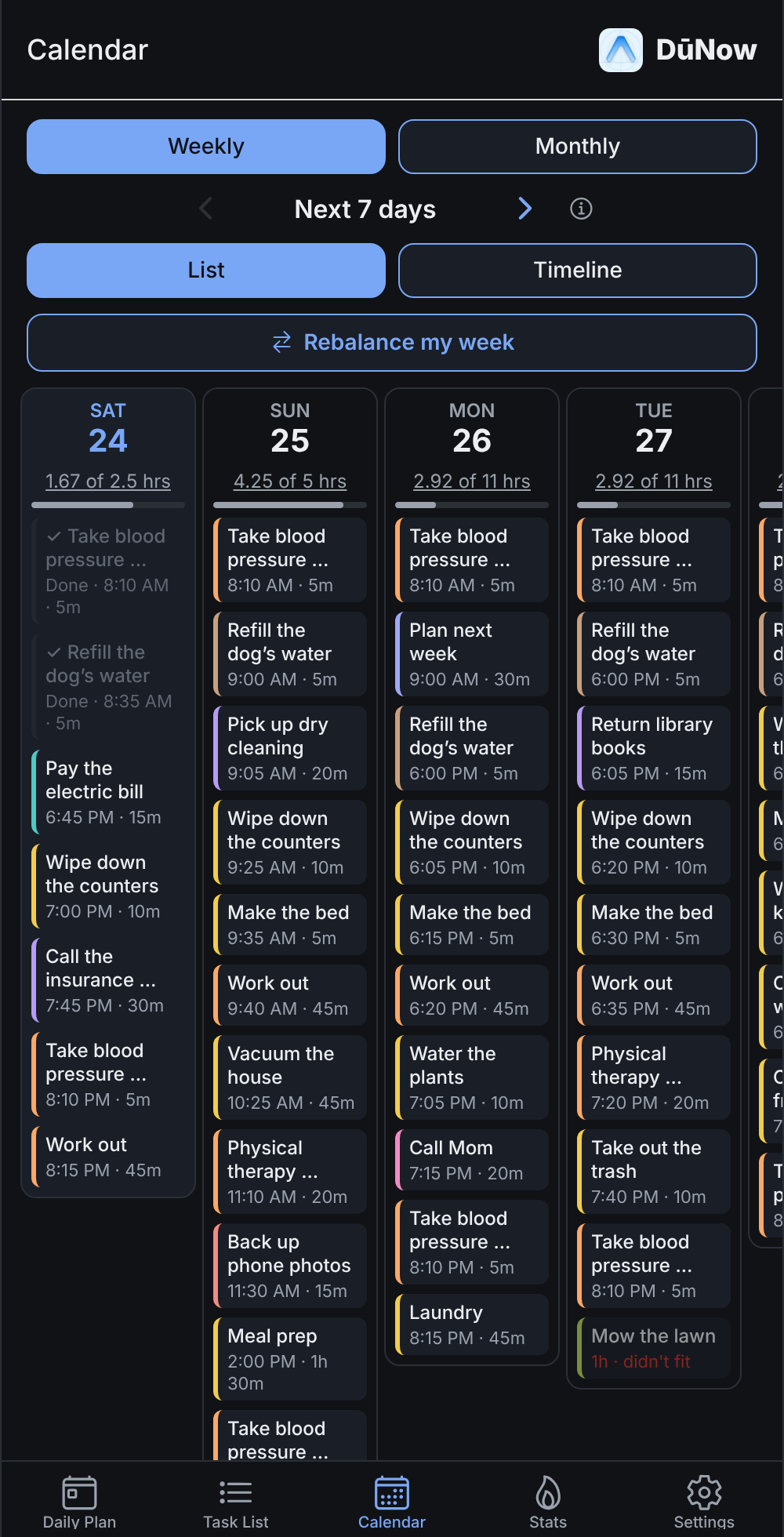
Spot busy days early
See your week or the whole month at a glance, with each task's category color and how full each day is. Too much on Thursday? Tap Rebalance my week and DuNow suggests days with room. You choose what moves, and you can Undo.
Time buckets
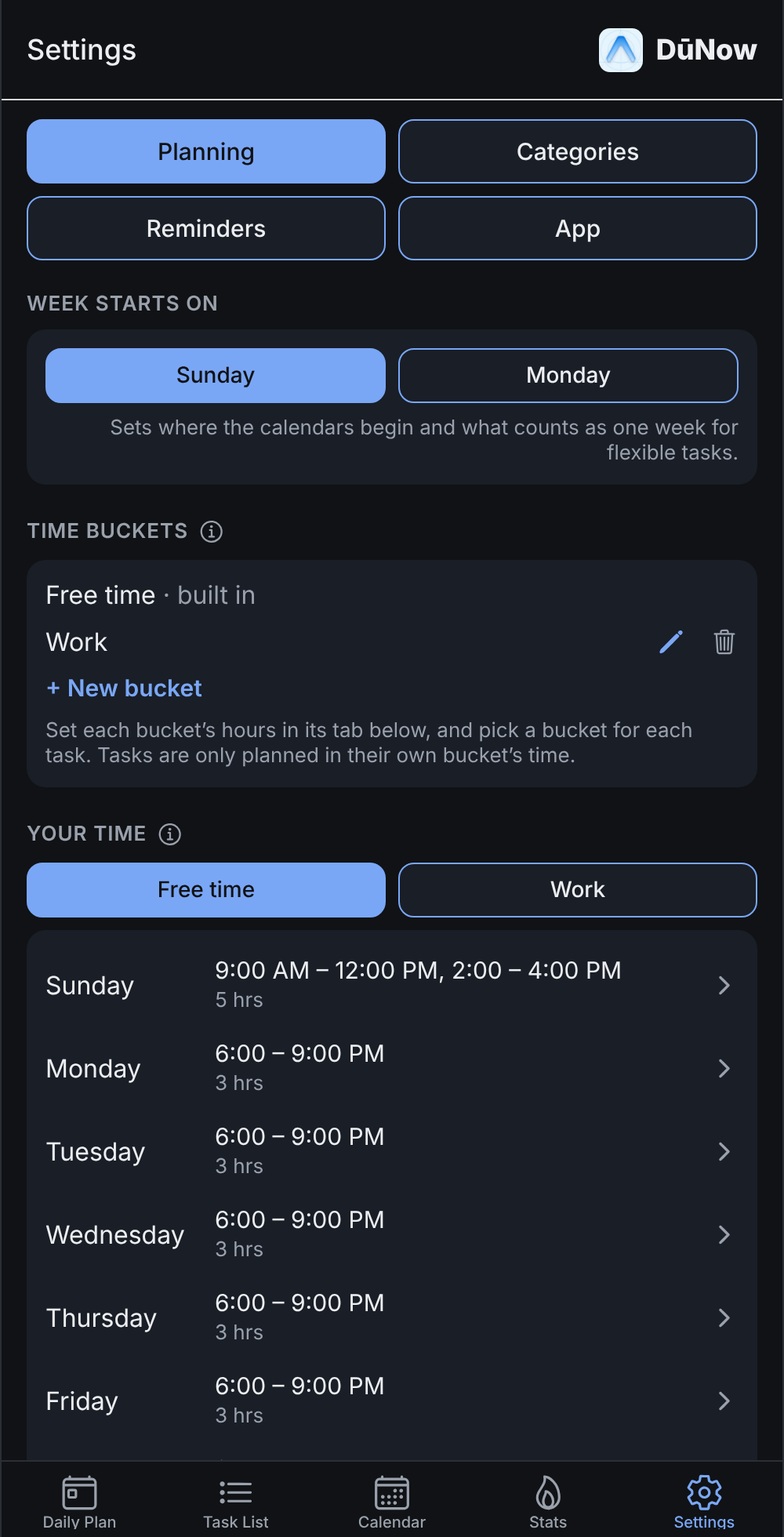
Work time, chore time, free time
Add buckets like Work or Chores, each with its own hours. Every task picks a bucket, so work tasks land in work hours, chores in chore time, and your evenings stay free for everything else.
Streaks
Keep the good habits going
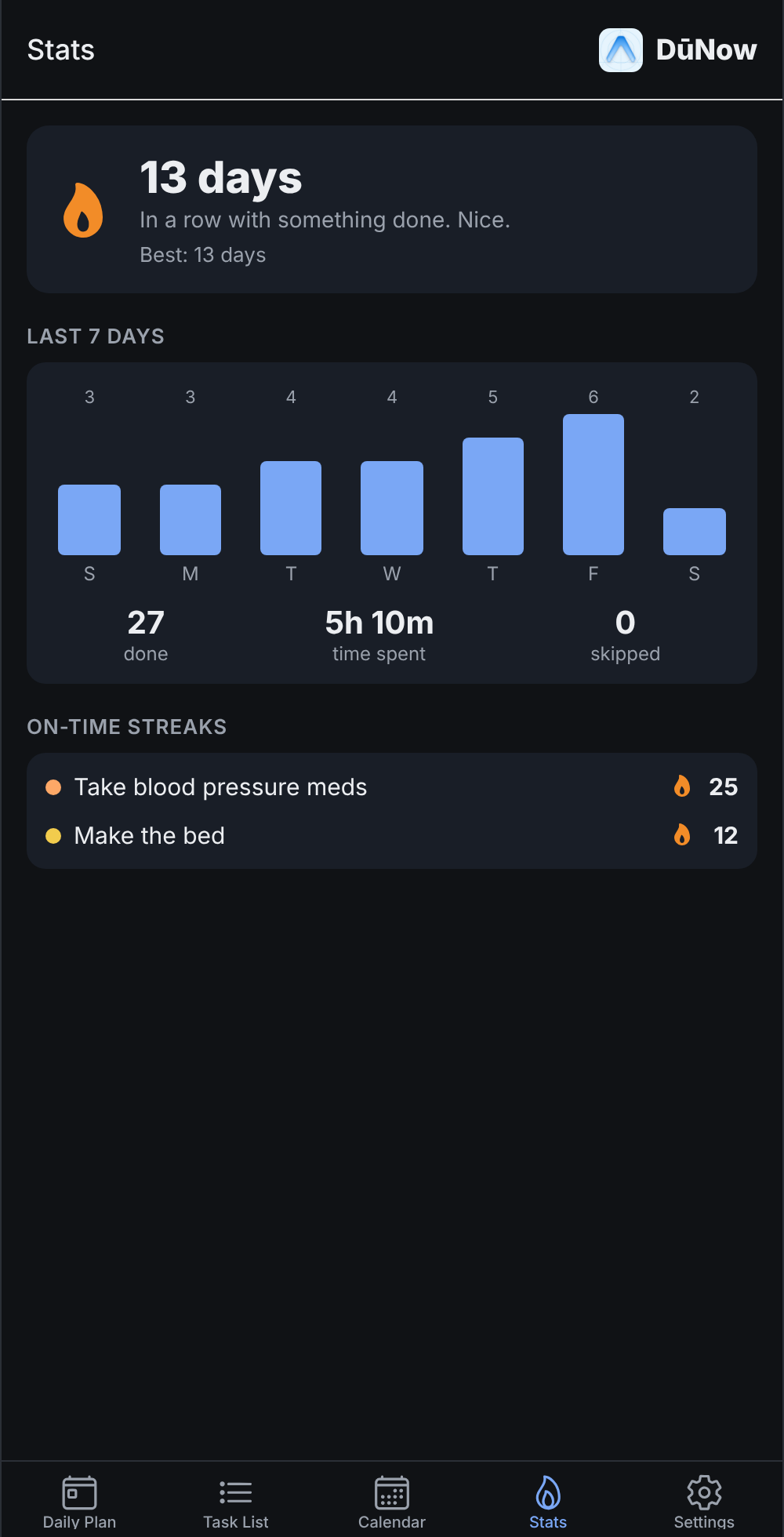
Watch your streak grow, and see which habits you're keeping up and how much you got done this week.
Built for how life actually repeats
Planned around your free time
Set the times you're free each day. DuNow fills them in order of importance and gives every task a time, in the mornings, afternoons or evenings if you'd rather.
Repeats that make sense
Some things happen on a schedule, like every third Thursday. Others repeat from when you last did them, like changing the air filter six weeks after the last time. DuNow handles both, and either can stop after a number of times or at a date and time.
Flexible tasks
"Vacuum once a week, at least 3 days apart." DuNow picks a day you have room, and never two days in a row. Keep it to weekends if you like.
Appointments stay put
Got a dentist appointment or a dose of medicine every 8 hours? Give it a set time and DuNow plans everything else around it.
Streaks
Watch your streak grow and see which habits you're keeping up.
Gets more accurate
When you finish a task, tell DuNow how long it took, and when you finished if it wasn't just now. Your plans get more realistic over time. No timers.
Checklists
Break a bigger job into steps, like cleaning the bathroom, and tick them off as you go.
Places and meeting links
Add an address and get a Navigate button for directions. Add a video call link and get a Join button.
Reminders
Get a notification when a task starts, or minutes, hours or a day before. On your phone, tap Done or Snooze right on the notification, and get a morning summary of your day.
Color-coded categories
Home, Work, Health, whatever fits. Each gets its own color on your plan and calendar, and you can filter by one.
Find anything
Search every task by name, notes, category or place, then sort and filter the whole list.
Have your say
See what's coming on the public roadmap, vote for ideas, suggest your own, or report a bug.
Speak a task
Tap the mic and say it. Where your phone or browser can, speech is turned into text right on the device.
Time buckets
Give work, chores and free time their own hours. Buckets can overlap, and priority decides who gets the shared time.
Sign in your way
Use Google, a link we email you, or a password. Add or change them any time in Settings.
Rebalance my week
Too much on one day? DuNow suggests moving tasks to a less busy day this week. Untick any you'd rather leave, and due dates never change.
Calendar sync
See your plan in Google Calendar, Apple Calendar or Outlook with a private link that keeps up as your plan changes.
Home screen widgets
On Android, see your next task with a Done button, or start a new one in one tap, right from your home screen.
Recent updates
The latest features to go live in DuNow.
Have an idea for what's next? Suggest it or vote on the roadmap.
Ready when you are
Sign in with Google, an email link or a password to start. It's free, and your tasks are saved to your account, so they're there on every device, including the Android beta. On an iPhone, add it to your home screen from Safari until the app arrives.